Homeschool Creations

Monday, June 7, 2010

Our New Math Curriculum ~ Teaching Textbooks

In a few weeks I’ll be sharing our full curriculum line-up for the 2010-2011 school year. I had mentioned a little bit ago that we were already switching over our math curriculum for both of the girls and they will be continuing with the new program through the summer and then next year.

What did we switch to? Teaching Textbooks.

Are we liking it? Absolutely yes…but this is going to be a lengthy post. :)

We’ve used Abeka since we started homeschooling {and for now Zachary will continue to use it} but during the second half of our school year Laurianna’s frustration was mounting with math ~ and there were many days that resulted in tears for her. In doing the {numerous} reviews for math products this last year, we found one thing that seemed to help her and make it easier ~ the computer.

If I put a worksheet in front of her with 20 problems, she would start, redo, recheck and take f.o.r.e.v.e.r. to complete even five problems. Give her 20 similar problems on the computer and she would answer them in very little time, many times figuring the answer in her head ~ and correctly. Math problems that would have taken her five minutes apiece if done using the worksheet.

The difference? Generally with the computer she is getting instant feedback and won’t sit there second-guessing her answers. If she gets one wrong on the computer, she just moves on without a fuss.

We tried several sample lessons of Teaching Textbooks online, took a few placement test and decided to order Math level 4 for her, even though she is closer to the level 5. Abeka was a little more advanced concept-wise, but truthfully the endless worksheets were killing us.

Our goal was to start her on Math level 4 at the end of the year and have her work on a few lessons each week so she would gain confidence in herself and her math skills {because she is smart, she just doesn’t think she is no matter how much encouragement she receives from us}. Essentially, she is reviewing concepts right now, but we’ll move her into level 5 somewhere in the middle of our school year.

Coughing up roughly $100 for the program was a little difficult ~ but we are loving it enough that we ordered {and are waiting for} the Math 3 Kit for McKenna to use. We also only ordered the cd-roms and not the workbooks to go along with the cds at this point, since they can do any problems on scratch paper at this point. {Note: We ordered our Teaching Textbooks through CBD for the same price that the TT website offers so that a friend could get the affiliate commission from our purchase}.

With Teaching Textbooks, basically you watch the lesson, do the problems and then review any of the problems that you missed or need help on. Each lesson has a guided lecture, Q/A time and it self-corrects. When Laurianna is done with her lesson, I’m able to print off her scores to put into our record book, along with any quiz scores {love this!!}. The parent section of the software allows me to have her repeat a lesson if needed, change answers and also shows me specifically where/if she needs help.

Even though the program is a bit more pricey, it can be used again from year-to-year with the rest of our children {making it $25/child for us}, includes a passcode for 2 computers {you can call if more are needed} and it can also be resold {hooray!!}.

The biggest question is ~ does Laurianna like it and is it actually working for her? She actually asks to do her math lessons now, so that should give you some indication of how it is going at our house.

That and McKenna is upset that her program hasn’t arrived yet.

Photobucket affiliate button

Labels: , ,

Thursday, April 8, 2010

Time 4 Learning {Review}

time for learningLast year our girls had a chance to play on the Time 4 Learning site, but this year it was Zachary’s chance to have a little fun! He was most willing to oblige too and was rather persistent in requesting to play.

What is Time 4 Learning?

Time 4 Learning is an online PreK - 8th grade curriculum that can be used a supplement to your current curriculum or even as your entire curriculum for language arts, math, science and social studies. The curriculum is tailored to each of your children's educational needs and levels and includes animated lessons, interactive activities, unit assessments, and printable worksheets for reinforcement (and it is ad-free!). Lessons are also correlated to standards in all 50 states.

The preschool curriculum offers two different levels of difficulty and covers 40 different topics including: shapes, numbers, feelings, human body, insects, color mixing, weather and much more. Our boys started on color mixing because we had just finished a unit on rainbows ~ and even Kaleb {age 3} was helping out.

time for learning preschool

Parents have the ability to log in and print automated progress reports for record keeping or portfolios. You can also see how your children are doing in all the areas that they are using, and see what areas they need to focus more attention/time on. There are lesson plans and a scope and sequence also available for parents to access at any time.

My Thoughts

The program is very interactive so kids don't realize that they are "learning". The activities were much fun, the graphics were fabulous, and Zachary was able to work through the program with little help from me. When his time was up, I could log on and print off reports to see exactly what he did while on the site ~ and make any adjustments for the next time he was online.

While Zachary did enjoy the program, $19.99 a month would be a bit steep for us to pay every month  ~ unless we were using it as our core curriculum, which we wouldn’t. I don’t think I could envision having him on the computer that much {nor would I want him on it that much}.

Find Out More

Time 4 Learning offers a free 14 day trial of the site, lesson demos, a scope and sequence of their lesson plans, and also a parents forum for those that are using the site. If you'd like a quick video demo of the site you can click here.
The cost for Time 4 Learning:

Click on the Homeschool Crew banner to read other reviews about this product.

This product was given to me for review purposes, and I do not have to return the product to the vendor. I was not paid for this post. All opinions expressed in this post are mine.

Photobucket

Labels: , ,

Monday, March 29, 2010

Math Galaxy {Review}

Math Galaxy is a math tutorial program for grades K – 12 that covers topics from Whole Numbers to Word Problems, all the way up to Algebra Fundamentals. It offers you the opportunity to have your own personal tutor in the comfort of your own home. 

Unlike most math textbooks, which throw a mass of material at the student, Math Galaxy focuses student attention on concepts sequentially and interactively, based upon the ideas behind math manipulatives (such as counting blocks) and connecting new concepts to familiar experiences. Unlike most math software, it goes beyond simple games, low-level operations or rule memorization to link familiar and concrete experiences to higher-level processes.

~ Math Galaxy website

We were given the opportunity to review Fractions Fun {$29.95}, a tutorial that covers topics such as comparing fractions, reducing fractions, prime factors, greatest common factor, least common multiple and more. The program includes games for learning and the website also offers online resources as well as printables.

Photobucket

My Thoughts

This year we’ve had the opportunity to review several computer math games with our kids. While there isn’t anything wrong with the program, this one did not grab the attention of our kids like many of the others did. The graphics aren’t as ‘flashy’, so I’m pretty sure that had a lot to do with it.

I do like the fact that it is a one time cost to purchase the program {rather than a monthly fee to use it online}. The games/review seemed a little slow overall ~ but they are thorough and do not lack in information. The worksheet generator would be very useful too ~ over 500 to print off and use as you like.

For More Information

Math Galaxy offers six different products that are all available for download at $29.95 each. They also have worksheet generators priced at $29.95 each. You can also take a guided tour of their programs to find out more. Math Galaxy also offers a 30-day Money Back Guarantee.

System Requirements

Windows 98 or later or Mac OS X.  Math Riddler Worksheet Generators require a printer.  Programs also require Java plug-in.

Click on the Homeschool Crew banner to read other reviews about this product.

This product was given to me for review purposes, and I do not have to return the product to the vendor. I was not paid for this post. All opinions expressed in this post are mine.

Photobucket

Labels: , ,

Friday, March 5, 2010

Family Mint {Review}


Right around the time that Zachary was born, Rick and I sat down and decided that enough was enough ~ we were in debt {to the tune of some $65,000, not including our house} and the craziness needed to stop. Over the next 2 years, and really ever since, we completely changed our saving and spending habits to break the debt cycle that we were living. Needless to say, we feel strongly about teaching our children about money, debt, and the importance of money management.

Members of the Homeschool Crew were asked to review the site Family Mint, a free online money management website for families. Parents become the ‘bank’ and their children become the ‘customers’. Money is deposited, withdrawn, and parents can use the tool to help their children understand a little more about how money works.

How the Program Works

Parents set up accounts for each of each child and children make deposits, withdrawals and can earn interest on the money that is deposited. Parents are able to see all of the accounts in one centralized place and also have the option of setting ‘allowances’ to automatically deposit into children’s accounts. They can also set an interest rate for earning as children keep money in the accounts.

For children, this system allows them to set goals to work toward ~ maybe a special toy.  Graphs make the goals visual for the children. Kids can also personalize their own accounts, making it fun for them.

When children wish to take money out, they have to request a transfer, which the parent can approve or deny.  If approved, the parent pays out the money to the child and the accounts are adjusted accordingly. Money can also be transferred from one account {spending} to another {savings}. Essentially, it’s virtual money or virtual banking.

My Thoughts

Setting up the accounts took hardly any time at all. To create each child’s account some of the required information was zip code and birthdate ~ neither of which I was comfortable sharing, so I used a generic code and birthdate for our kids.

Overall, I think that this site has a lot of potential and I am pondering how we can use it a little better in our household. We believe strongly in the ‘cash system’ at our house ~ we use cash to pay for our own purchases and we encourage our children to use cash also. Personally, I know the importance of having cash in my hands ~ it is much harder to spend when I have to physically part with it and can visually see how much is remaining.

Any money that is marked ‘savings’ for our children is in a bank account ~ earning interest. Truthfully, I don’t want to pay my children interest on the money that I would be holding for them.  With Family Mint parents can set the interest rate at 0%, but I would rather have that money in a bank where it WILL earn interest .   If our children were a little older, I think this could be very valuable to set up a mock living income/expense and let them see how to budget their household money or save for major expenses. 

Find Out More

Family Mint is a free online service for families. They do have plans to expand their website in the future {i.e. a paid Pro service}, but at the time of this review the program was free. You can learn more or set up your own account by visiting the Family Mint Website.

 
Click on the Homeschool Crew banner to read other reviews about this product.

This product was given to me for review purposes, and I do not have to return the product to the vendor. I was not paid for this post. All opinions expressed in this post are mine.

Photobucket

Labels: , ,

Sunday, February 21, 2010

Math Mammoth {Review}

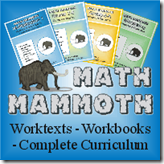
image Math Mammoth produces various math workbooks and curriculums at affordable prices for homeschooling families. They offer a wide range of worktexts for grades 1 through 8. Last year we reviewed the Light Blue series for 1st and 2nd grade and you can also read that review here.

The workbooks are very thorough and there are four different series to choose from (click on the picture for a larger view):

This year I requested the Multiplication 1 to review {see the table of contents here}. From the site:

Multiplication 1: Master the Times Tables lets children first learn well the multiplication concept itself, tying it in with number lines, rows and columns, multiplying by zero, some word problems, and order of operations.

Then the second part practices all the the times tables - and yes, it does involve memorization (which is not bad in itself). BUT when you do the tables in a certain order - easiest ones first - and use a 12x12 grid, the task becomes less daunting.

Multiplication 1 works first on the concepts of multiplication {skip counting, number lines, understanding word problems,  etc…. and then moves on to the actual memorization of the facts.  Tables are not memorized in numerical order {i.e. 1s, 2s, 3s, 4s}, but rather in a method where children are learning fewer ‘new’ facts each lesson:

image

One thing that I really appreciate about Math Mammoth is the ability to download specific segments of curriculum that your child might need additional help with, meaning you can supplement the curriculum that you are currently using.  We’ve been adding this in a little bit at a time and are still working through it due to some computer issues on my part {ahem}. For that reason, I would recommend spending a little extra when possible and getting a CD version of a program. :)

So far this has helped us pinpoint a few things that we needed work on to master multiplication. We have been working on skip counting together and the bonus to that is Zachary is starting to pick up the counting with us!

Try it Out for Free!

You can also subscribe to the Math Mammoth monthly email newsletter here and receive a gift of over 280 math worksheets and also sample pages from the various workbooks. Here are some other helpful links for you:

Free Samples Download
Placement Tests
FAQ (including ordering information)


Photobucket

Click on the Homeschool Crew banner to read other reviews about this product.

This product was given to me for review purposes, and I do not have to return the product to the vendor. I was not paid for this post. All opinions expressed in this post are mine.

Labels: , ,

Saturday, February 13, 2010

Dollar Homeschool ~ Ray’s Arithmetic

Dollar Homeschool

Not too long ago, I received Ray’s Arithmetic from Dollar Homeschool to review as part of the Homeschool Crew. It was a company that I had not heard of before, so I was very intrigued when I read that Ray’s Arithmetic is a curriculum from K-12 {from counting all they way up to calculus} for only $59.

Affordable would be the first word that came to my mind.

Ray’s Arithmetic series is a collection of 38 books that have been scanned {textbooks, answer keys, and teacher’s editions} and are intended to use as ‘printing’ curriculum. As you need materials, you print what you need. You can use the curriculum year after year with all of your children ~ and using your own quick math skills, you can see that $59 total is a good price. For a full list of all the books included, you can visit Dollar Homeschool.

The series isn’t something that was newly created. It was a part of the Eclectic Education Series {EES} textbooks used in the late 1800’s and early 1900’s as the standard text in most schools. The text itself is just as it was then {here’s a little example for you}.


Ray's Arithmetic 

Pros:

  • Inexpensive. $59 for a curriculum that spans from kindergarten through high school is definitely a pro!
  • Can print off as many copies as you would like, especially if any text is torn or lost.
  • Provides real-life examples to help tie in math concepts with everyday living.
  • Subjects are taught in a process that builds from level to level.
  • Ties-in examples from history along with word problems ~  “General Washington was born A.D. 1732, and lived 67 years: in what year did he die?”
  • It’s classic ~ I have to admit, I love the graphics and the fact that this is a proven text that was used for years effectively.

Cons:

  • For me personally, e-Books are more difficult to use. I really like to have a text in front of me. I realize I can print it off and have it right there, but it is an extra step to take and sometimes it’s one I’m not willing to take.
  • Some of the scanned pages are a little cock-eyed {i.e. not straight} which just bothers me on some level ~ no smart comments. :)
  • The curriculum requires a little more teacher time involvement. The first few years are designed to be studied orally with the teacher/student. Depending on how many grade levels you are teaching, the time can add up fast.
  • If you have been using traditional {and colorful} texts, this will be an adjustment for everyone. The font type and graphics are black and white ~ and not so much ‘eye candy’.
  • As with any new program, you really need to get caught up and understand the program ~ the Manual of Methods is a help, but still requires a bit more time and effort. :)

You can purchase Ray’s Arithmetic directly from Dollar Homeschool for $59. If you are interested, Dollar Homeschool also has other texts on CD-rom in the Eclectic Education Series that include science, history, grammar,  and the McGuffey’s Readers. You can buy the complete series for $159.

If you ever break or misplace a CD, Dollar Homeschool will replace it for you for only the cost of shipping. They also offer a 30 day money back guarantee on all of their products.

Software compatibility: The books on the CD's are PDF files and they will work on any computer ~  Mac, Vista, XP, Linux, {per the Dollar Homeschool website}.


Click on the Homeschool Crew banner to read other reviews about this product.
 

This product was given to me for review purposes, and I do not have to return the product. I was not paid for this post. All opinions expressed in this post are mine.
Photobucket

Labels: , ,

Monday, February 1, 2010

Mathscore {Review}

Photobucket

When I tell you that the last month and a half have been a flood of math products for us to review...well, I'm not kidding. Fortunately our kids enjoy spending time ‘playing’ on the computer, so it really a win/win situation for all of us. They get to work on math and I can learn about new products and share with all of you.

About Mathscore

Mathscore was developed by MIT graduates in an effort to help children practice math {grades 2 through 9}. It provides a way for parents to easily keep track of their children’s progress and has been shown to raise math test scores. 
The emphasis on MathScore is efficient math practice. Typical competing services place a large emphasis on the teaching aspect and much less on practice. Statistically, most students in the United States don't get enough math practice, which we believe explains the low test scores. MathScore is fun and competitive. As a result, typical students will complete hundreds of math problems for every hour of use. This great efficiency in practice leads to very rapid rates of learning. MathScore's patent-pending technology even adapts the difficulty based on performance, making every problem attempt productive, unlike typical "drill-and-kill".
from the Mathscore site

Parents initially log into the site and create a user name/password and can then create separate accounts for each of their children. Children each have their own username and password to work on their math facts. If you have more than one computer, multiple users can be logged on at the same time.

Students are asked to answer math problems and these problems increase in difficulty based on their performance. They can start on a worksheet or follow a small lesson. The worksheets are timed, but parents can increase the time if their child struggles with the limits. Parents can also switch levels for their children and decide which topics they would like them to work on.

Assessment tests help show where your child excels or struggles and the program will then suggest areas of focus. The site does provide samples for each math topic so students have an idea of what is being covered before beginning lessons and worksheets.

Daily reports are sent to parents for each of their children so that they can track progress. Reports give information on the math topics that were covered, accuracy, worksheets completed, how much time they spent working, etc. The reports can be printed off also and put into school files for reference. You can view additional parent features here and also access a free math worksheet generator through the Mathscore website.

Price

Mathscore varies in price based on your membership commitment. If you sign up for the month-to-month, it is priced at $14.95/month for the first child, $5/month for your second child, and $3.95/month for each child thereafter. For the first two months of your membership, your first child is only $9.95/month.  Another benefit to the site is vacation freeze ~ you can temporarily freeze your account if you go on vacation.

My Thoughts

Compared to some of the other math sites that we have been using lately, this one didn’t hold our kids attention as much. While the site itself is thorough, there aren’t a lot of extras {avatars, cute graphics, etc…} ~ for some that might be a drawback, especially if the programs you have been using do. :)

While I think this is a great product, for me the price is a little bit of a deterrent. $14.95/month {plus the cost of additional children} can add up pretty quickly. For us, a full year of the program would be around $170 for just two of our kids. If your child is in need of more focused tutoring, this may be a great option to try first, since it would be more cost efficient than tutoring.

Click on the Homeschool Crew banner to read other reviews about this product.


This program was given to me for review purposes, and I do not have to return the product to the vendor. I was not paid for this post. All opinions expressed in this post are mine.
Photobucket

Labels: , ,

Monday, January 25, 2010

FactsFirst & Saxon Math {Review}

Photobucket

Trying to get back into the routine of school after a longer than planned break has been a little tough, especially with some subjects. I’ve mentioned more than once that math is the subject here that receives the most moans and groans. Even though I love it, a few of my kiddos brains just aren’t wired the same as mine {go figure}.

Laurianna really dislikes worksheets and it will take her all of eternity to work on some of the most simple {at least to me} problems.  We have figured out that she really needs instant feedback on what she is doing ~ or she won’t move onto the next problem. Working with three other kids doesn’t give me the time to always work 1:1 with her, so there are times when online games/quizzes can be a huge blessing to our homeschool day. Since our math facts are one area that we are planning to focus on {hard} this half of the year, we were happy to receive a trial period to use the online math program of factsfirst.

What is factsfirst?

factsfirst.com is an online math program that was created for Saxon Math, although it would work with any primary math program. It was developed to help children improve their basic math fact skills in addition, subtraction, multiplication, and division. As children work through the speed drills, quizzes and tests, they are rewarded with ‘arcade time’ where they can play after the completion of a unit.
Children first create a personalized avatar ~ our kids loved that you could put Crocs on their feet. :) Once the avatar is created, they move on to the units.

Photobucket

Children work through units that focus on mastering the basic facts by playing over 350 fun games.
The lessons consist of five basic segments; new facts, commutative property, practice, quiz, and scoring. New facts are gradually introduced to children as they work toward mastery. Facts are grouped in units with each lesson in a unit introducing two new facts. A child masters these facts before starting another unit.
 Photobucket

Even though the arcade time is a ‘break’, kids are still working on their math skills while playing different games.

Photobucket

Parents can access an overview sheet to see how each child is doing on their various math facts. There is one sheet for each fact area {addition, subtraction, multiplication, and division}.

What We Liked

Our kids really enjoyed the factsfirst website and the time spent on it. The different games held their interest and Zachary {age 5} was excited because this was one game that he could play along with by doing simple addition facts.

I appreciate the fact that you can have four users per family on the account and that the parents have access to see the progress their kids are making. The progress charts can also be printed off to keep in your records, which is very handy.

The arcade time was also a big hit in our house. I had to laugh when our girls were excited about earning stuffed animals ~ and was thrilled that they weren’t more real ones for our house! :)

Find Out More

The FactsFirst online program is available through Saxon {$49.99}  and your purchase includes a one year subscription to the site for up to four users. If you would like to see a demo of the program, you can visit the main site to see it in action.

Click on the Homeschool Crew banner to read other reviews about this product.


This product was given to me for review purposes, and I do not have to return the product to the vendor. I was not paid for this post. All opinions expressed in this post are mine.
 
Photobucket

Labels: , ,

Friday, January 22, 2010

Learning Resources Counting Bears

1500 Subscriber Banner
This giveaway is now closed ~ thanks so much!

I am always thrilled to find new learning games for our kids ~ ones that are fun, but still work on basic skills like counting, colors, or letters. When CSN agreed to be a part of my Subscriber Celebration I looked long and hard before choosing the Counting Bears from Learning Resource as the giveaway prize. They were just too cute!

Cookies Minus the Sugar...


IMG_2927

Zachary has been eyeing these bears ever since they showed up at our house. He is a boy that loves to count and put patterns together, so when I pulled it out to use for school time, he plopped right now and helped me get the bears all set up.

image
The Counting Bears {$20.95} come in a ‘cookie jar’ ~ 40 bears total that look like chocolate and vanilla cookies. Each bear has red hearts on the stomach {anywhere from 1 to 10} and the arms of the bears are able to link to another bear. The bears also come with sequencing cards, matching cards and a spinner, along with four different game ideas.

The bears themselves are nice and thick ~ easy to grab onto and manipulate. The little hearts on their chests are 3 dimensional, so kids can feel how many hearts there are also ~ perfect for little fingers.

IMG_2928

Suggested games to play with the Counting Bears are:
  • Pair of Bears ~ a memory game to find bears with the same number of hearts
  • Bear Match ~ match the bear to one of the cards in the deck
  • Who’s Next? ~ make a number line from 1 to 10 by linking the bears
  • Red Rover Bears ~ uses the spinner to help identify numbers and players sequence bears in numerical order
Other ideas:
  • Patterning
  • Sequencing ~ 1, 2, 3, ? {find the bear that comes next}
  • Play a game of high/low ~ highest number of hearts wins
IMG_2935

We played several different games, but Zachary had a lot of fun putting the bears in numerical order while also completing a pattern. This is a game that we are going to love having around, especially for Kaleb in the coming years!

About CSN Stores


Toys and Games Online, one of the CSN Stores,  has a large variety of learning toys available ~ I’d encourage you to look through their selection. The customer service that I experienced was wonderful and shipping was fast too {who doesn’t like that??}.

The Giveaway!!


CSN Stores is providing a jar of the Learning Resource Counting Bears for one of my readers.  There are several ways for you to enter this giveaway, but there is one mandatory first entry: look around Toys and Games Online and tell me what learning toy you would have picked.

If you would like to earn extra entries {you can earn 4 extra entries}, leave a comment for each of the following:
  • If you are a subscriber to my blog, give yourself an extra entry! Thanks so much! If you don’t subscribe, hop on board and leave a comment.
  • Visit any of  CSN’s 200+ online stores and leave a comment with something else that catches your eye ~ learning toy or not!
  • Follow CSN stores on Twitter and leave a comment with your username.
  • Twitter about this contest and include @jolantheerb in your tweet.
This giveaway will be open until Thursday, January 28th until 8pm and I will announce the winner by Saturday, January 30th. Please be sure there is a way for me to contact you ~ otherwise I will draw another winner. Note: US Residents only, please!  
 
Photobucket

Disclaimer: Thank you to CSN Stores for providing the giveaway product. This review is based on my own experiences and gives my honest opinion.

Labels: , , , , ,

Wednesday, December 16, 2009

Mathletics and 3P Learning {Review}

low_mathletics

There are times in our day {especially when trying to balance teaching four kids} that there are some lapses between subjects. We have different activities we use to fill the gaps, and lately Mathletics has been the girl’s activity of choice.

About Mathletics

3P Learning has developed an online curriculum~based math program called Mathletics that has over 750 learning games for children grades Kindergarten to 8th grade. The site offers 24 hour support and access to everyone. Essentially ~ it’s pretty amazing.

Before starting the program, children create an avatar to represent themselves ~ hair color, face shape, eyes, nose, etc… Once the avatar is created, the fun begins!

The instructional part of Mathletics has children work through age-appropriate math concepts in different areas {workbooks are also available as a pdf download for additional practice}. Children choose an area to focus on and are offered ten questions/problems to solve in each section. As they answer the question, they are given immediate feedback {correct/incorrect} and finish the remaining problems.

Based on how many questions they answer correctly, they are rewarded with points which they can later use to ‘purchase’ features to personalize their avatar. While working through the problems, children are able to get step-by-step directions if needed. Once a section is completed, children can move on to another section.

To give you an idea of what Mathletics covers, here are the main areas in the third grade course:

Mathletics 1

Features I Liked

  • Parents have the ability to track their child’s progress ~ can see what topics have been covered and how they are doing
  • Questions in topic areas get harder as a child answers them correctly
  • INSTANT feedback on answers ~ children know right away if they answered a problem correctly
  • Rewards and certificates when children make progress
  • Parents can set areas for their children to focus on {in the parent resource center}
  • Student workbooks and answer keys to download for additional practice {not all grade levels are currently provided}

I am thrilled because Mathletics clued me into something about Laurianna’s learning style and needs. While I know that she is competitive, it can take forever for her to finish a math worksheet….sometimes pushing an hour to answer seemingly simple questions. When playing Mathletics, she was flying through similar questions. The reason? Instant feedback on her answers helped her move along quickly and gave her confidence in herself!

Our Learning Time

DSC07577Laurianna was the first one to try out Mathletics. To say that she liked it would be an understatement. One game quickly turned into two, and kept going and going. Especially when she realized that she was able to compete against other kids in the US and in the world ~ then it became sheer competition to get the most points. At one point she did make it to 3rd in the world…after a total of almost 6 hours playing the math games.

After playing a few games she was able to check out the main screen and see her overall ranking. The instant gratification for her was amazing.Laurianna’s excitement was contagious and soon McKenna DSC07578was asking to have a turn playing along. Between the both of them, they logged in more computer time that week than I think they have in FOREVER. They enjoyed it that much. Especially changing their little avatars and buying new accessories to ‘pretty’ themselves up.

Knowing that our trial period is almost up has been a little saddening for the girls ~ and they’ve enjoyed it so much we are seriously considering a year-long subscription to Mathletics. Our only hesitation is that we have have to buy one for each of the girls ~ there aren't any family subscriptions, so it would be $49.95 per child.

For some reason I had difficulty opening pdf files from Mathletics in my Firefox browser. Customer service was more than willing to help out, but I was able to use Internet Explorer to open the files without problems. Apparently it was only my computer giving me issues though since others haven't had the same problem and the software is actually tested using Firefox.

Find Out More

If you are interested in a subscription to Mathletics, you might want to know the answer to a key question ~ it’ll save you $10! The human calculator’s favorite number? 9.

Click on the Homeschool Crew banner to read other reviews about this product.


This product was given to me for review purposes,
and I do not have to return the product to the vendor. I was not paid for this post. All opinions expressed in this post are mine.

Photobucket

Labels: , ,

Thursday, November 19, 2009

GyMathtics {Review}

Photobucket

A few weeks ago we received a DVD from Exploramania called GyMathtics to review for the Homeschool Crew. The kids were so excited when they saw the kids exercising on the front cover and wanted to try it right away.

image

About the Product

Exploramania was started to help children develop healthy lifestyles and also a love for learning. The Gymathtics DVD is a 30 minute exercise routine that incorporates math facts and learning into the routine. It includes four sections:

  • Shape Stretches Warm Up: Kids stretch their bodies and form lines, circles, and polygons.
  • Counting Calisthenics: Aerobic time for kids along with counting by 5’s, 10’s, odd and even intergers.
  • Pattern Power: Exercises are done with repeating patterns.
  • Well-Being Wind Down: Cool down time for kids.

Gymathtics In Action

The target age range for Gymathtics is 2nd through 5th grade because of the concepts that it covers, but personally I would put it in a younger range {K – 3rd}. Our three oldest {8, 7, and 5} have enjoyed it quite a bit and pull their ‘exercise mats’ {a.k.a. towels} out several times a week to get some exercise in. In fact, when I went out of town for a few days and the kids were left with ‘homework’ they wanted Gymathtics on their list ‘to do’ each day ~ 'cause they’re strange like that! {grins}

Gymathtics

Find Out More

The DVD is currently available for purchase directly through the Exploramania site for $24.99 {with free s/h} and also through Amazon. The company also has several other exercise products available, including a second DVD in the Gymathtics series, a math mat, and several math balls.

While this DVD is a hit in our house, be sure to consider the age range of your kids when purchasing. I’m happy that our kids are getting some exercise and some energy out while reviewing math concepts, but older kids might not be as thrilled with the content.

Click on the Homeschool Crew banner to read other reviews about this product.

This product was given to me for review purposes, and I do not
have to return the product to the vendor. I was not paid for this post.
All opinions expressed in this post are mine.
Photobucket

Labels: , ,

Monday, August 17, 2009

Quarter Mile Math {Review}

I will be the first to admit that drilling our kids in math is one of my weakest areas. Mainly because I dislike drilling, they dislike drilling and then there is general unhappiness all around. Even though our kids do well overall in math, their speed and fact skills could really use a little help...okay...truthfully, a LOT of help.

I was sent a GREAT tool that stopped our kid's whining and complaining and they are literally begging for more! Barnum Software sent those on the Homeschool Crew the Quarter Mile Math program {Levels 1, 2, & 3} Deluxe program to review and our kids have fallen in love with it.

Quarter Mile Math is geared toward kids from grades K-9 and helps improve mental math skills {and their keyboarding too!}. Kids 'race' either a horse or a race car to be the fastest to the finish line. Each correct answer that kids give helps their horse/car gain speed and their scores are shown at the end of the race. During the race, kids compete against their own best races - so they can compare their current score and see how they have done over time {click here for a quick video demo}

Features I love:
  • The kids stay on the same problem until they get the answer right.
  • The 'game' aspect encourages my kids to keep playing and try to do better with each game {my kids are very competitive!}
  • Even when the kids get an answer wrong, their horse/car doesn't stop or slow down {i.e they aren't penalized}. For a few of my kids this really helps them not to be discouraged!
  • The software helps focus on specific skills and we can track their progress - which is great to see.
  • Printable topic progress chart so I can keep track of how the kids are doing
  • The website offers a special section for homeschooling families with additional resources and support for homeschoolers.


Just in the short time that we have been playing it, Zachary has learned several row of letters/numbers on the keyboard and can identify them very quickly now. He is thrilled that he can play along with this game too! Even though he is in the beginning stages of the program, it's one that will grow along with him. I even installed it on my laptop so the kids could play during breaks in our school time ~ and playing with Mommy's laptop is a BIG deal in our house {so you know that Mommy likes it}.

Barnum Software has a topic list that summarizes the range of topics and problems that the math software covers - and there are over 323 of them! Main areas include: Numbers and Letters, Whole Numbers, Fractions, Decimals, Estimation, Percents, Integers, and Equations. The sub-topics include so much more! This is something that our family will be able to use for years to come.

The software is available in either cd-rom format or as a download from their site. If you'd like to give it a try before you buy it, they have a free demo available on their site. Quarter Mile Math has two different user options ~ the Deluxe version and the Standard CD version available to order

~ The Deluxe version requires internet connection, although you do not play online. It is $2.95/month, or $19.95 per family for a year. DSL or cable internet connection is required for this option.

~ The Standard version is actually a cd-rom and is a one time purchase of the software that installs directly to your computer's hard drive. Depending on the levels chosen, this option ranges in price from $39.95 to $89.95.

The software is Windows {Windows 98, NT, 2000, ME, XP, and Vista} and Mac compatible. See the site for more details on the Mac compatibility. Barnum Software also has a 30 day unconditional money back guarantee.

Overall, I am so excited that we received this to review and am looking forward to using it this year with out kids. And the fact that I'm willing to give up my laptop to let the kids use it ~ well, that just speak volumes about the product! :)


Click on the Homeschool Crew banner to read other reviews about this product.
As a member of the Homeschool Crew, I was given this product to review,
and I do not have to return the product to the vendor. I was not paid for this post.
All opinions expressed in this post are mine.

Photobucket

Labels: , ,